Why You Don't Need a Chrome Extension Reviews Scraper (And What to Use Instead)
Thinking about building or buying a Chrome extension reviews scraper? Learn why raw data isn't enough and how AI-powered analytics give you actionable insights in minutes.
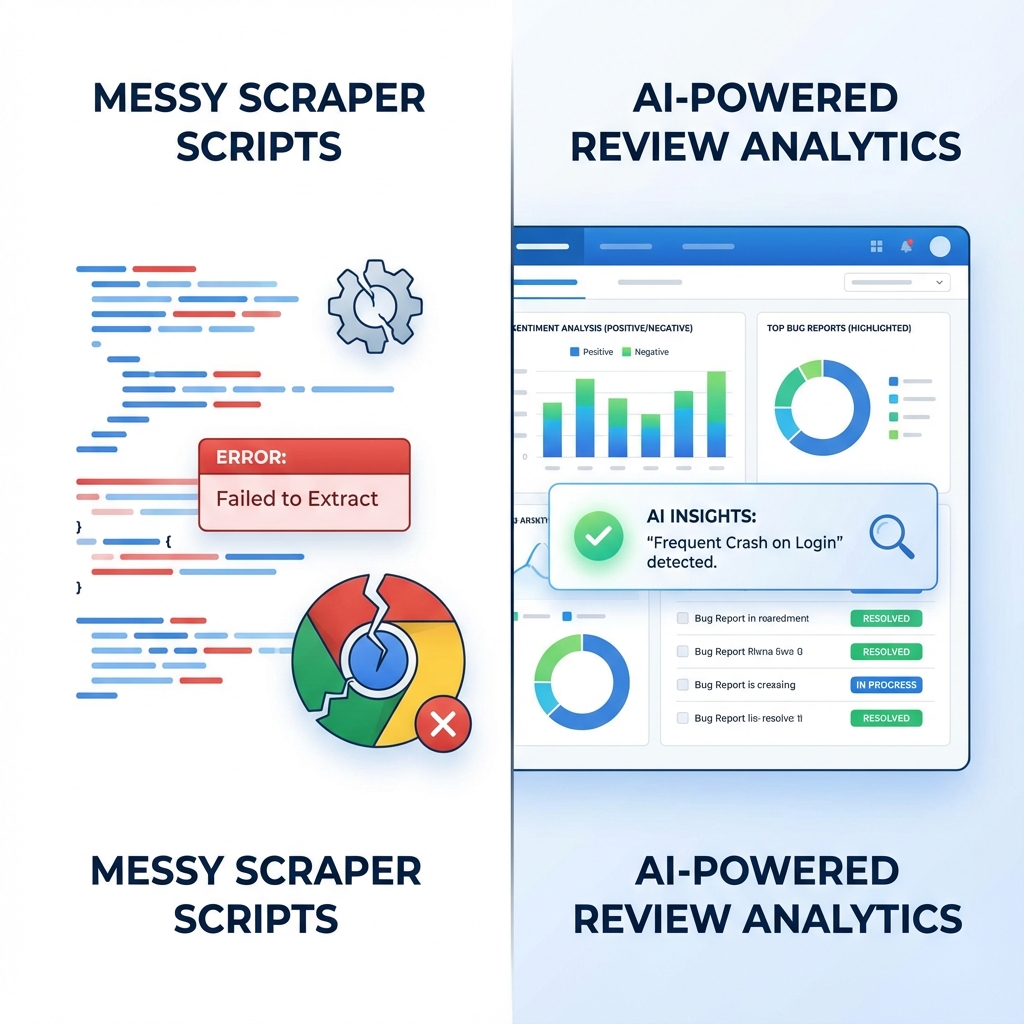
If you're searching for a "Chrome extension reviews scraper," you're probably facing one of these problems:
- You need to understand what users are saying about your extension
- You want to track competitor feedback to find market gaps
- You're trying to identify bugs before they tank your rating
- You need feature request data to prioritize your roadmap
Here's the truth: a scraper will give you the data, but not the answers.
The Hidden Cost of Building Your Own Scraper
Let's say you decide to build a Chrome Web Store scraper from scratch. Here's what you're signing up for:
1. Chrome Web Store's Anti-Scraping Measures
Google doesn't publish an official API for extension reviews. That means scraping the Chrome Web Store requires:
- Dynamic page rendering (reviews load via JavaScript)
- Rate limiting workarround (too many requests = IP ban)
- Selector maintenance (Google changes the DOM structure regularly)
- Proxy rotation (to avoid detection)
One developer on Reddit spent 3 weeks building a scraper, only to have it break when Google updated their layout. Three weeks of work, gone.
2. You Get Raw Data, Not Insights
Even if your scraper works perfectly, you'll have a CSV file with thousands of reviews. Now what?
ReviewID,Date,Rating,Text
1,2024-12-01,1,"This extension broke my workflow..."
2,2024-12-01,5,"Amazing! Love the new feature..."
3,2024-12-01,1,"Keeps crashing on Chrome 120..."
You still need to:
- Read through hundreds of reviews manually
- Identify recurring bugs
- Extract feature requests
- Analyze sentiment trends
- Compare your feedback to competitors
That's another 10-20 hours of work per week. For most indie developers, that's unsustainable.
3. Maintenance is a Never-Ending Job
Scrapers break. A lot. Here's what you'll be dealing with:
- Chrome Web Store layout changes → Update selectors
- New anti-bot measures → Rewrite scraping logic
- IP bans → Set up proxy infrastructure
- Rate limit errors → Add delay logic
One founder told us he spent more time maintaining his scraper than actually building his extension.
The Legal Gray Area
Let's address the elephant in the room: Google's Terms of Service technically prohibit scraping.
"You must not (and must not permit anyone else to) copy, modify, create a derivative work of, reverse engineer, decompile or otherwise attempt to extract the source code of the Software or any part thereof..."
— Google Chrome Web Store Terms of Service
Most scraping is done privately and Google rarely enforces this. But if you're running a business, do you really want to build your analytics stack on a foundation that could be shut down at any moment?
What You Actually Need: Insights, Not Data
Here's what separates successful extension developers from those who get stuck:
Unsuccessful developers collect data.
Successful developers extract insights and act on them.
When you analyze reviews, what you're really trying to answer is:
- What features do users want most? (Roadmap prioritization)
- What bugs are breaking the user experience? (Critical fixes)
- What are my competitors doing better? (Competitive advantage)
- How is sentiment trending over time? (Health metrics)
- Which reviews should I respond to first? (User engagement)
A scraper gives you the raw material. But you still need to do the analysis yourself.
The Smarter Alternative: AI-Powered Review Analysis
This is where tools like Extension Radar come in.
Instead of building scrapers and reading through hundreds of reviews, you get:
1. AI-Detected Bugs in Seconds
Our AI scans every review and automatically flags critical bugs:
- "Extension keeps crashing on Chrome 120" → Critical Bug Detected
- "Doesn't work with the new Gmail update" → Compatibility Issue
- "Memory leak after 2 hours of use" → Performance Bug
You get a prioritized list of what to fix first, with impact scores based on how many users are affected.
2. Feature Requests, Automatically Extracted
Instead of manually reading reviews for feature ideas, Extension Radar's AI highlights patterns:
- 15 users asked for dark mode
- 8 users want keyboard shortcuts
- 22 users requested export to CSV
You see exactly what to build next, backed by real user demand.
3. Competitor Intelligence
Want to know what users love (or hate) about your competitors?
Extension Radar analyzes competitor reviews and shows you:
- Features users wish your competitor had (opportunities for you)
- Bugs users are complaining about (weaknesses you can exploit)
- Pricing complaints (chances to undercut on value)
4. Sentiment Trends Over Time
Track how user sentiment changes after each release:
- Did your latest update improve satisfaction?
- Are bug complaints trending down?
- Is that new feature resonating with users?
You get dashboards, not spreadsheets.
Real Example: How One Developer Saved 15 Hours/Week
Before Extension Radar:
- Manually scraped 500 reviews per week
- Spent 3 hours categorizing feedback
- Missed critical bugs buried in positive reviews
- Had no idea which features to prioritize
After Extension Radar:
- Analyzed 500 reviews in 60 seconds
- Got AI-detected bugs ranked by severity
- Discovered 3 feature requests mentioned by 20+ users
- Reduced review analysis time from 15 hours to 30 minutes per week
That's 14.5 hours freed up to actually build the features users want.
When a Scraper Might Make Sense
To be fair, there are cases where building your own scraper could be justified:
- You're a data scientist researching Chrome Web Store trends at scale
- You're building a public dataset for academic purposes
- You have a dedicated DevOps team to maintain scraping infrastructure
But if you're an indie developer or small team trying to understand your users, a scraper is technical debt disguised as a solution.
How to Get Started with AI-Powered Review Analysis
Ready to stop fighting with scrapers and start getting insights?
Here's how to analyze your Chrome extension's reviews in under 60 seconds:
- Go to Extension Radar (no credit card required)
- Enter your extension's Chrome Web Store URL
- Get instant AI insights:
- Critical bugs ranked by impact
- Top feature requests by demand
- Sentiment breakdown
- Competitor intelligence
Free Tier includes:
- 5 extension analyses per month
- AI bug detection
- Feature request extraction
- Basic sentiment analysis
Frequently Asked Questions
Can I scrape Chrome Web Store reviews legally?
Technically, Google's ToS prohibits scraping. Most developers do it privately without issue, but if you're running a business, it's a risk. AI-powered tools like Extension Radar use compliant methods to gather and analyze review data.
How much does a Chrome extension scraper cost to build?
If you value your time at $50/hour:
- Initial development: 20-40 hours ($1,000-$2,000)
- Monthly maintenance: 5-10 hours ($250-$500/month)
- Total first-year cost: $4,000-$8,000
By comparison, Extension Radar's paid plan is $8/month.
What's the best free Chrome extension reviews scraper?
There isn' a reliable free scraper that doesn't break regularly. Even paid scrapers require constant maintenance. For free review analysis, use Extension Radar's free tier (5 analyses/month).
Can I analyze competitor extension reviews?
Yes. Extension Radar lets you analyze any public Chrome extension, not just your own. This is perfect for competitive intelligence and market research.
How often should I analyze my extension's reviews?
We recommend:
- Weekly during active development
- After each release to catch new bugs
- Monthly for mature extensions
Extension Radar's tracking feature can notify you of new critical bugs automatically.
The Bottom Line: Stop Scraping, Start Analyzing
Building a Chrome extension reviews scraper might seem like the "developer way" to solve the problem. But here's what we've learned after talking to hundreds of extension developers:
The goal isn't to collect review data. The goal is to build a better product.
Raw reviews don't tell you what to do next. AI-powered insights do.
So here's our challenge: Save yourself 15 hours this week.
Instead of building or maintaining a scraper, try Extension Radar for free. Analyze your extension's reviews in 60 seconds. See which bugs are killing your rating. Discover which features users actually want.
If you don't find at least 3 actionable insights in your first analysis, we'll personally refund your time.
Analyze Your Extension Free - No Credit Card Required →
Still have questions? Contact our team and we'll help you get set up.
Ready to analyze your Chrome extension?
Get AI-powered insights from your reviews in 60 seconds. No scraping required.
Analyze Your Extension Free